Wholeshot: full page screenshots, even inside web apps
Chrome extension · Free · Version 1.0.1 · Updated 2026-10-29
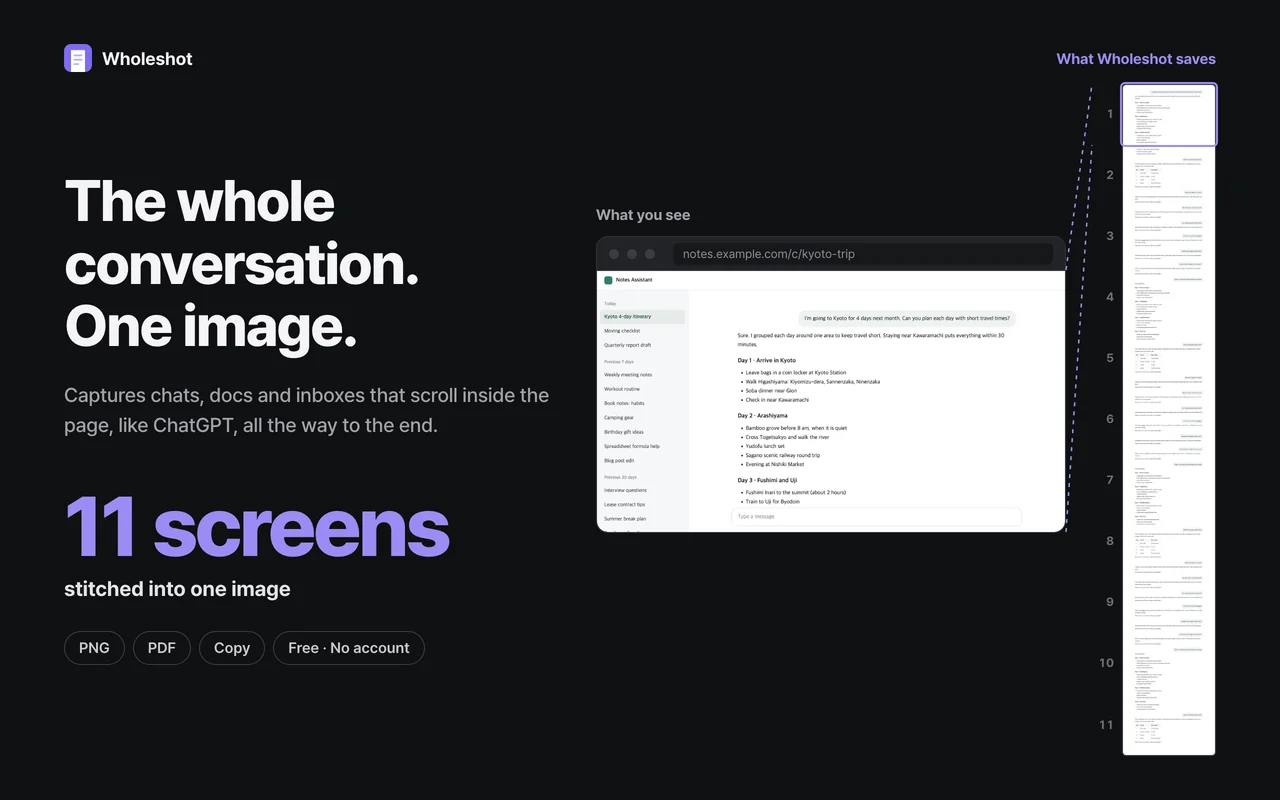
Wholeshot is a free Chrome extension that captures an entire web page as one image. Unlike screenshot tools that only scroll the browser window, it also finds the panel that scrolls inside a web app, such as an AI chat conversation, a document or an inbox, and captures it from the first line to the last.
How it works
- Click the Wholeshot icon in the toolbar, or press Alt+Shift+S.
- Wholeshot scrolls the page, or the panel that scrolls inside it, to the end and stitches every screen into one image. Progress, Stop here and Cancel appear on the page.
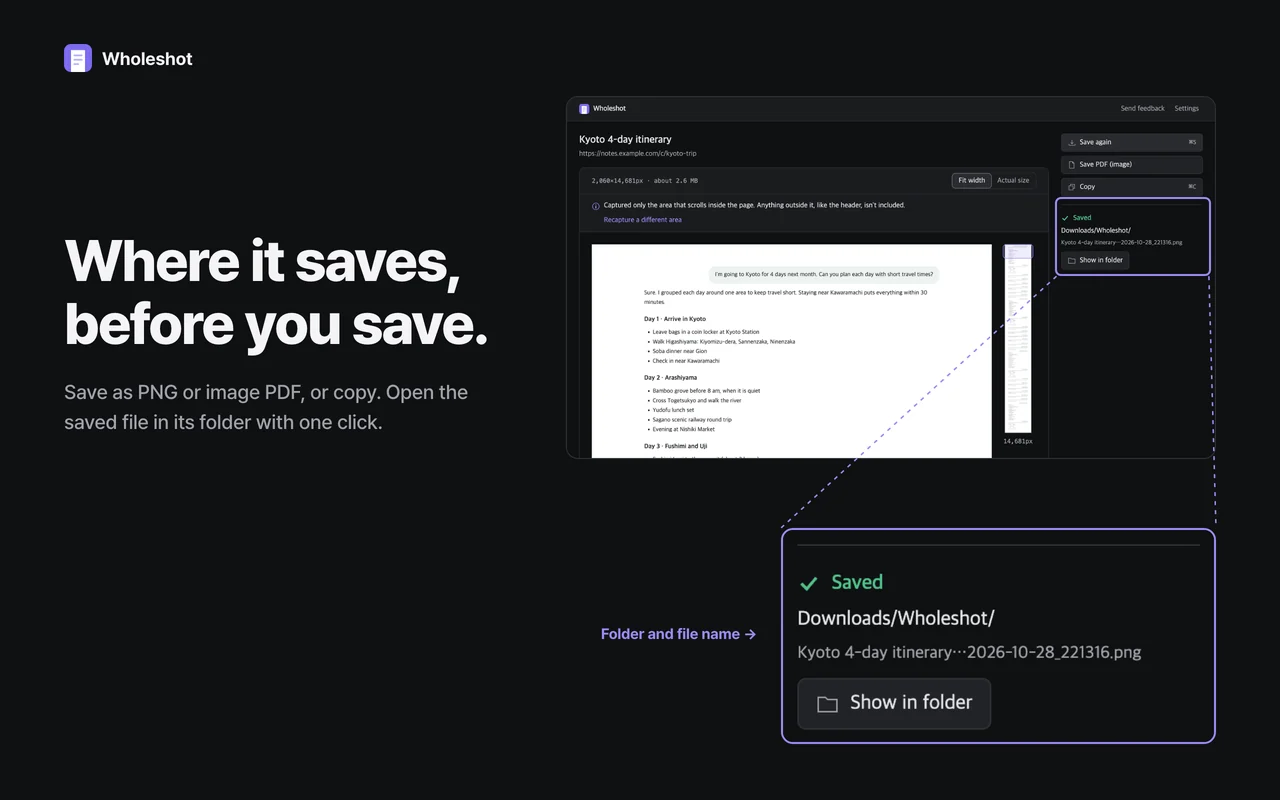
- A result tab opens: save as PNG or image PDF, or copy to the clipboard. The folder and file name are shown before you save.
Window-only capture vs Wholeshot
| Page type | Tools that scroll only the window | Wholeshot |
|---|---|---|
| Regular long pages (articles, wikis, docs sites) | Whole page | Whole page |
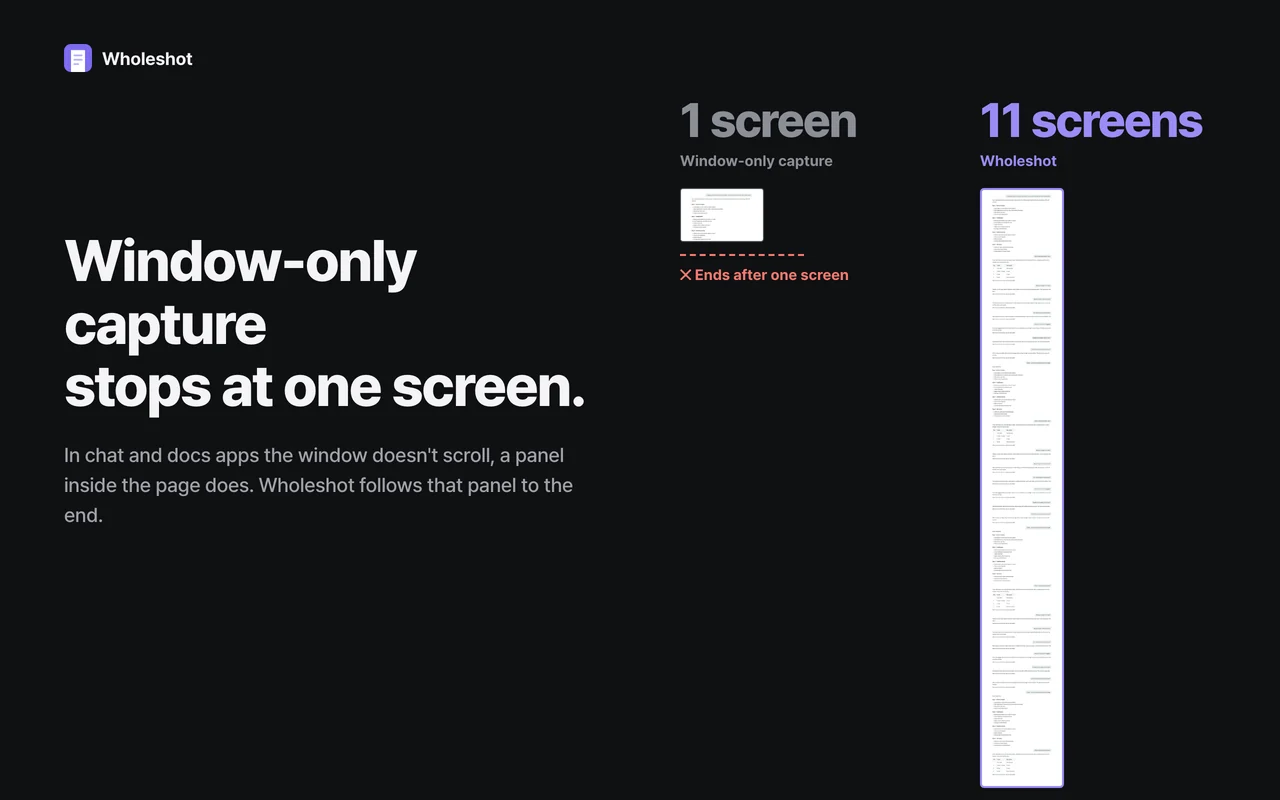
| AI chats, document editors, inboxes that scroll inside the page | Usually the visible screen only | The whole panel, first line to last |
| Pages with sticky headers or floating bars | Depends on the tool | Each appears once |
Features
- Scrolling screenshots of web apps: chat conversations, documents, mail threads, long reports
- Regular long pages too: articles, wikis, product pages, documentation
- Sticky headers and floating bars appear once, not on every screen
- Waits for lazy-loaded images so nothing is left blank
- Pages taller than 32,767 px are split into several images automatically
- PNG, image PDF on A4 pages, or clipboard copy
- Picked the wrong area? Press a number to capture another one
- Switching tabs pauses the capture so another tab never gets mixed in
- Interface in 12 languages
Privacy
- No network requests. Screenshots never leave your computer.
- No account, no analytics, no ads.
- Minimal permissions: activeTab (only the tab you click it on), scripting, downloads and storage. It never asks to read all websites.
Frequently asked questions
How do I take a screenshot of an entire ChatGPT conversation?
Open the conversation and click the Wholeshot icon, or press Alt+Shift+S. Wholeshot finds the conversation panel, scrolls it to the last message and saves everything as one PNG or image PDF.
Why do some screenshot extensions capture only one screen of chat or docs apps?
In those apps the browser window does not scroll; a panel inside the page does. A tool that scrolls only the window sees one screen. Wholeshot detects the panel that actually scrolls and scrolls that instead.
How do I save a whole web page as a PDF?
Capture the page with Wholeshot, then click Save PDF (image). The image is split into A4 pages at blank rows. It is an image PDF, so its text cannot be selected.
What happens with very long pages?
One image can be at most 32,767 pixels tall, so longer captures are split into several images automatically and the result page says why. PNG saves one file per image; PDF saves a single file.
Does Wholeshot upload my screenshots?
No. Wholeshot makes no network requests and has no account or analytics. Captures stay in your browser until you save them to your Downloads folder.
Is Wholeshot free?
Yes. There are no ads, no accounts and no upgrade prompts.
Contact
Made by Zero One Studio. Questions and bug reports: contact@zeroonestudio.app